Concrete calculator
Enter your measurements in the concrete calculator to find volume, bags and the quantity to order.
Choose a shape, enter its measurements and click Calculate to see the concrete volume and bag count.
Zero means no rounding. Use the increment offered by your supplier.
| Net concrete volume | — |
|---|---|
| Allowance volume | — |
| Volume with allowance | — |
| Supplier rounding volume | — |
Estimate only. Confirm structural dimensions, density and supply quantities for your project.
Enter measurements to see the volume, whole bags and ready-mix quantity.
Compare bags and ready-mix quantitiesShape preview with your measurements; proportions are schematic.
Saved job components
When the list is nonempty, totals use saved components only. Editing the draft does not change a saved component.
Bag estimates
Product examples: 40/50/60/80 lb bags yield about 0.30/0.375/0.45/0.60 ft³. Confirm your bag. Counts use volume with allowance, before ready-mix rounding.
Material estimate
Material only; delivery, tax, pump and labour are extra.
Slab thickness comparison
Same length, width and quantity, before allowance.
Formula and converted dimensions
History
Calculations stay in this browser. Saving history and device storage are separate choices.
How do I use the concrete calculator?
I start with the finished inside dimensions of the forms, then separate that geometric quantity from allowance and supplier rounding. Choose a slab, round or square column, wall, hollow tube, solid stair run, or curb-and-gutter section. The labelled starting slab is an example, not a recommended construction specification.
Enter each dimension with its own unit. Metres, centimetres, millimetres, feet, inches and compound feet plus inches are available. Decimal point or comma is accepted without thousands separators; scientific notation and incomplete numbers are rejected. Quantity must be an integer from 1 to 1,000. Positive physical dimensions cannot exceed 1,000 m, and total net job volume is limited to 1,000,000 m³.
The diagram follows the selected shape and labels your measurements. Its proportions are schematic, so a thin slab remains visible and a large stair run remains readable. It is not a structural drawing. I use the labels to catch a diameter mistaken for a radius, a thickness entered in the wrong unit, or a gutter width that accidentally includes the curb.
How do I combine several concrete pours?
For one element, the totals use the current draft. For a multi-part pour, give the component a useful label and add it to the job. Once that list contains an entry, the totals use saved components only. Editing a draft does not silently revise a previously saved slab or add another copy to the total. The result card states which scope is active.
The list accepts up to 12 components. Quantity handles identical elements within one component, so six equal piers need not become six separate rows. Remove an entry to replace a mistaken measurement; add the corrected component explicitly. Clear draft leaves the saved job intact, while Clear job removes its entries and returns the totals to the current draft if that draft is valid.
Allowance, density, bag yield, price and supply increment apply to the current total, including a saved job. History saves a draft and its settings, not a second copy of the whole component list. Loading history can therefore change the settings used by an existing job; inspect them before exporting. History is kept in the tab unless you separately choose device storage. No dimensions or saved entries are uploaded.
How much extra concrete should I order?
Net volume is the sum of the spaces to be filled. Allowance adds a percentage to that measured volume: required volume = net volume*(1+allowance/100). The default 10% is an editable example, not a universal rule. Rough excavation, measured overdepth and placement losses need judgment. A percentage cannot correct a misunderstood geometry or replace checking the actual subgrade.
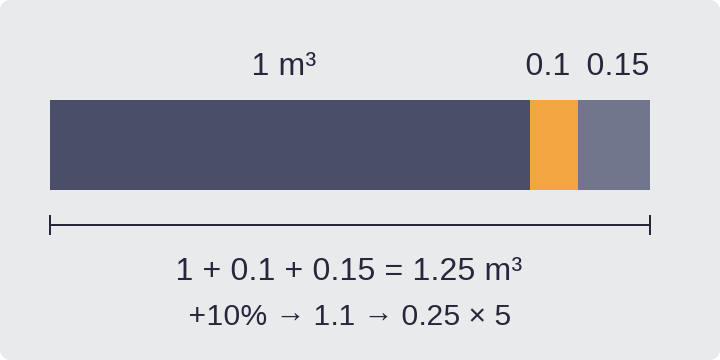
The supplier order increment is a separate step. Zero leaves the required volume unrounded. A positive increment rounds upward to the next available multiple in m³ or yd³. For 1 m³ net volume, 10% allowance gives 1.1 m³. With a 0.25 m³ increment the order becomes 1.25 m³; the allowance is 0.1 m³ and supplier rounding adds another 0.15 m³.
The coloured breakdown separates those additions rather than hiding them inside one total. Changing the order unit converts the increment and material price, preserving the physical order and cost rather than just relabelling the numbers. Confirm the supplier’s actual increments, minimum order and charging rules. The calculator does not place an order or include delivery, pump charges, taxes or labour.
How much concrete do I need for a slab?
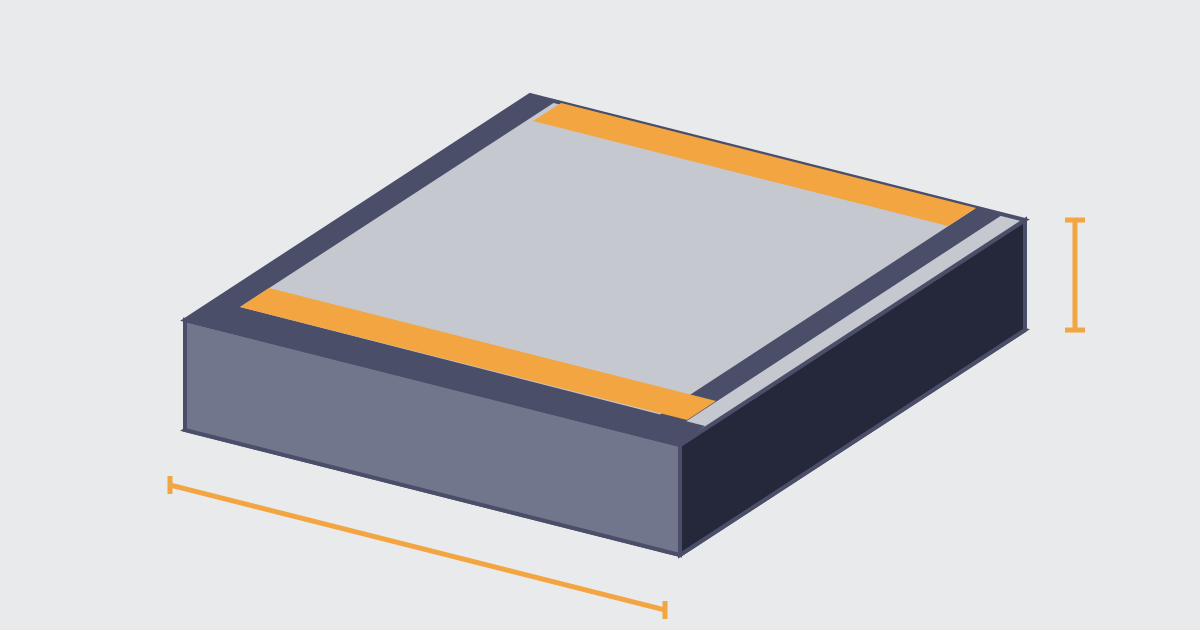
The metric example is 3.6 m long, 2.4 m wide and 0.1 m thick. Area is 3.6*2.4 = 8.64 m²; net volume is 8.64*0.1 = 0.864 m³. With 10% allowance, the extra volume is 0.0864 m³ and the requirement is 0.9504 m³. If your supplier uses 0.25 m³ increments, the rounded order is 1 m³, adding 0.0496 m³ beyond the allowance.
The thickness comparison keeps length, width and quantity unchanged and shows measurements 1 cm thinner or thicker, without allowance. For this slab, each centimetre changes volume by 8.64*0.01 = 0.0864 m³. A 9 cm measurement gives 0.7776 m³; 11 cm gives 0.9504 m³. These are measurement scenarios, not permission to make a slab thinner.
For an imperial example, a 12 ft by 8 ft slab at 4 in thickness uses 4/12 ft in the multiplication. Net volume is 12*8*(4/12) = 32 ft³. Dividing by 27 gives 1.185185185 yd³. Using the exact foot definition gives 0.906139090944 m³. A forgotten inches-to-feet conversion would multiply the quantity by twelve, so I check the converted dimensions panel.
How many bags of concrete do I need?
An 80 lb premixed concrete bag does not produce 80 litres of concrete. Bag estimates divide required volume by the finished yield stated on the product and round upward to a whole bag. The 40, 50, 60 and 80 lb examples here use approximately 0.30, 0.375, 0.45 and 0.60 ft³ respectively from the QUIKRETE Concrete Mix 1101 yield table. Other products can have different yields.
The custom yield field accepts ft³, litres or m³. Read the yield from your own bag instead of scaling by package weight alone. Counts use the volume with allowance, before the separate ready-mix order increment. For the metric example, 0.9504 m³ divided by an 80 lb example yield of 0.60 ft³, or 0.0169901079552 m³, gives about 55.9384 bags; the result is 56.
A cubic yard is 27 ft³. Without allowance, the example yields give 90 of the 40 lb bags, 60 of the 60 lb bags or 45 of the 80 lb bags. These are alternative ways of supplying the same volume, not quantities to add together. The manufacturer’s calculator also rounds bag quantities up and explains that approximate yields exclude uneven substrate and waste.
| Premixed bag size | Finished yield, ft³ | Bags per yd³ | Bags per m³ |
|---|---|---|---|
| 40 lb | 0.3 | 90 | 118 |
| 50 lb | 0.375 | 72 | 95 |
| 60 lb | 0.45 | 60 | 79 |
| 80 lb | 0.6 | 45 | 59 |
Whole bags, without allowance. These approximate product yields come from the QUIKRETE table linked above; confirm the yield on your own bag.
How do I calculate concrete weight and cost?
Weight is volume*density. The editable starting density, 2400 kg/m³, is a stated working assumption; use the density for your intended concrete. Net and rounded-order weights are both shown. Pounds are converted from the same kilogram result using 1 lb = 0.45359237 kg, so changing display units does not secretly change the material density. Estimated concrete weight is not a vehicle-loading recommendation.
For the metric slab, net weight at that assumption is 0.864*2400 = 2073.6 kg. A rounded 1 m³ order has estimated weight 2400 kg. Package dry mass, added water and finished volume are different quantities. I do not infer a transport limit from either a bag count or the density field; equipment and vehicle limits require their own verified specifications.
Price is optional and uses the selected volume unit and currency. With a hypothetical price of 150 currency units per m³ and a rounded order of 1 m³, net material costs 129.60, allowance costs 12.96 and supplier rounding costs 7.44, totalling 150.00. Leaving price blank omits cost; zero is an explicit zero-price scenario. This is general estimating information, not financial or structural advice.
What formulas calculate concrete volume?
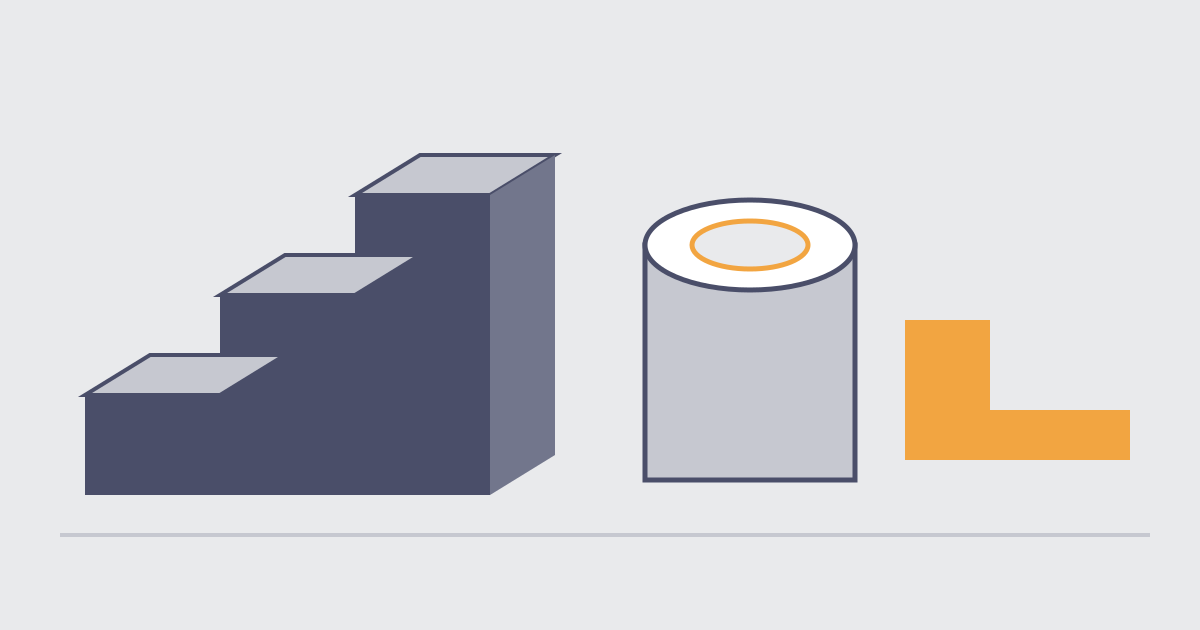
The reference table uses dimensions converted to metres, so its volume is in m³ before quantity is applied. For round shapes, D is the outside diameter and d is the inside diameter. For solid steps, n is the number of equal rises and runs, A is tread run, R is riser height, W is width and P is optional rear platform depth at the full stair height.
The stair formula models solid fill beneath every tread, including one full run per rise. It does not estimate a suspended waist slab. The curb model counts a curb rectangle and an adjoining gutter rectangle without overlap: gutter width excludes the curb footprint, and curb height is measured above the flag. Inner diameter and platform depth may be zero in the appropriate models. For other shapes or openings, measure nonoverlapping parts separately.
Copy report includes the active scope, volumes, assumptions, bag counts and component dimensions. CSV exports the components and volume breakdown; printing keeps the diagram and result readable. Invalid edits clear the affected outputs instead of leaving a stale number available for export. For supply choices, read Concrete bags, yield and ready-mix orders. For less familiar geometry, read Measuring solid stairs, tubes and curb sections.
| Shape | Single-element formula | Control example, m³ |
|---|---|---|
| Slab / footing | L × W × T | 3.6 × 2.4 × 0.1 = 0.864 |
| Round column | π × D² × H / 4 | D = 0.3, H = 1.2 → 0.0848230016 |
| Square column | L × W × H | 0.3 × 0.3 × 1.2 = 0.108 |
| Wall | L × H × T | 4 × 1.2 × 0.15 = 0.72 |
| Hollow tube | π × (D²−d²) × H / 4 | D = 0.6, d = 0.3, H = 1 → 0.2120575041 |
| Solid steps | W × R × [A × n(n+1)/2 + P × n] | W = 1.2, R = 0.17, A = 0.28, n = 4, P = 0 → 0.5712 |
| Curb and gutter | L × [C × (H+F) + G × F] | L = 6, C = 0.15, H = 0.15, F = 0.1, G = 0.5 → 0.525 |
For slab measurements and thickened edges, read Concrete slab thickness and thickened edges.
Guides
 Concrete bags, yield and ready-mix order quantitiesCompare bag yield and ready-mix rounding without confusing dry weight, net volume and the supply quantity.6 min read
 Measuring solid stairs, hollow tubes and curb sectionsIdentify the solid before calculating: stair fill, rear platforms, annular tubes and adjoining curb sections.6 min read
 Concrete slab thickness and thickened edgesMeasure uneven depth and thickened edges without counting the slab or its corners twice.5 min read
Questions and answers
Does the allowance include supplier rounding?
No. Allowance is a percentage of net volume. A supplier increment then rounds the required volume upward separately.
Can the tube’s inner diameter be zero?
Yes. Zero models a solid cylinder. A positive inner diameter must be smaller than the outer diameter.
Which staircase does this calculate?
A solid fill with equal rises and one full tread run per rise, plus an optional rear platform. It does not model suspended waist slabs.
Do bag counts use the rounded ready-mix order?
No. They use volume with allowance, before the independent supplier order increment. Verify your product yield.
Does editing a draft change my saved job?
No. Saved components stay unchanged. With a nonempty list, totals use saved components only; global settings still apply to that total.